Guides · Updated 7 September 2026
Trading 212 portfolio tracker: connect the API key, or drop the CSV
Trading 212 is one of the few European brokers that hands a private investor a read-only API key, so a tracker can either sync it or read the History export. Fortunest does both — key or file, with a cutover date so nothing is counted twice — and it is our pick. Sharesight connects Trading 212 through SnapTrade; Parqet, getquin and AllInvestView read the file.
The short answer
- You have two routes, and they are not equivalent. The API key keeps the account current on its own; the History CSV is a full record you re-export by hand. Running both at once is where importers double-count.
- Our pick: Fortunest — a direct Trading 212 connection with your own read-only key (live or practice), or the History export, and it uses the two currencies in each row for what they are instead of multiplying them together. Free without an account; Pro is €69 a year.
- Also a live connection: Sharesight — via SnapTrade rather than your own key, plus a CSV upload and forwarded Activity Statements. Standard buys and sells only; short selling is excluded.
- File imports: Parqet and AllInvestView — Parqet documents a Trading 212 CSV import with all four export categories ticked; AllInvestView advertises "import any broker CSV (auto-detected)" on every plan.
- Open banking or manual: getquin — its pages describe an open-banking login, manual entry and a CSV upload, and name no broker.
How to connect Trading 212, or export its history
The wording below is the same as in the Trading 212 section of the docs. Take the key if you want the account to stay current; take the file if you would rather nothing of yours sits on a server.
- The API key In the app open Settings → API (Beta), accept the risk warning and tap Generate API key. Give it the read permissions only — account, portfolio and history — and leave orders off.
- Restrict it to an IP The form offers Restrict access to trusted IPs, which takes the address Fortunest shows you (or a CIDR range); use it. Submitting shows an API key and an API secret, and the secret appears only once, so copy both. An older key that came without a secret still works — paste it as the key and leave the secret box empty. A practice-account key works too; pick demo as the environment.
- Or export the history instead In the app or on app.trading212.com open Menu → History, click the export icon, pick the widest period, tick every category and download the CSV. Invest and Stocks ISA accounts only — the CFD export is a different file and is not read, because the dashboard models no CFDs.
- Drop the file in Drag it onto the Portfolio value tile in the app, or open ⚙ Settings → Data and drop it on the Data sources card.
If you do both, keep the connection on files first: the file and the key describe the same trades in different currencies, so the cutover date — not row matching — is what stops them being counted twice, and the app suggests the right date for you.
What a tracker has to get right in this file
Two details are where importers go wrong, and they are worth checking in whatever you choose. Each row carries two currencies: the Total is the cash that actually moved in your account's currency, while Price / share is the quote in the share's own currency. Multiply them together and every US position in a euro account comes out wrong. And the withholding tax and the currency-conversion fee are already inside the Total, so a tracker that deducts them again understates the position for years.
Everything else in the export is read: Market, Limit and Stop orders both ways, dividends however Trading 212 spells them, interest on cash and lending interest, deposits, withdrawals, currency conversions, stock splits, stock distributions, and shares transferred in or out. Fractional holdings keep all ten decimals, which matters when a €50 monthly order buys 0.0731 of a share.
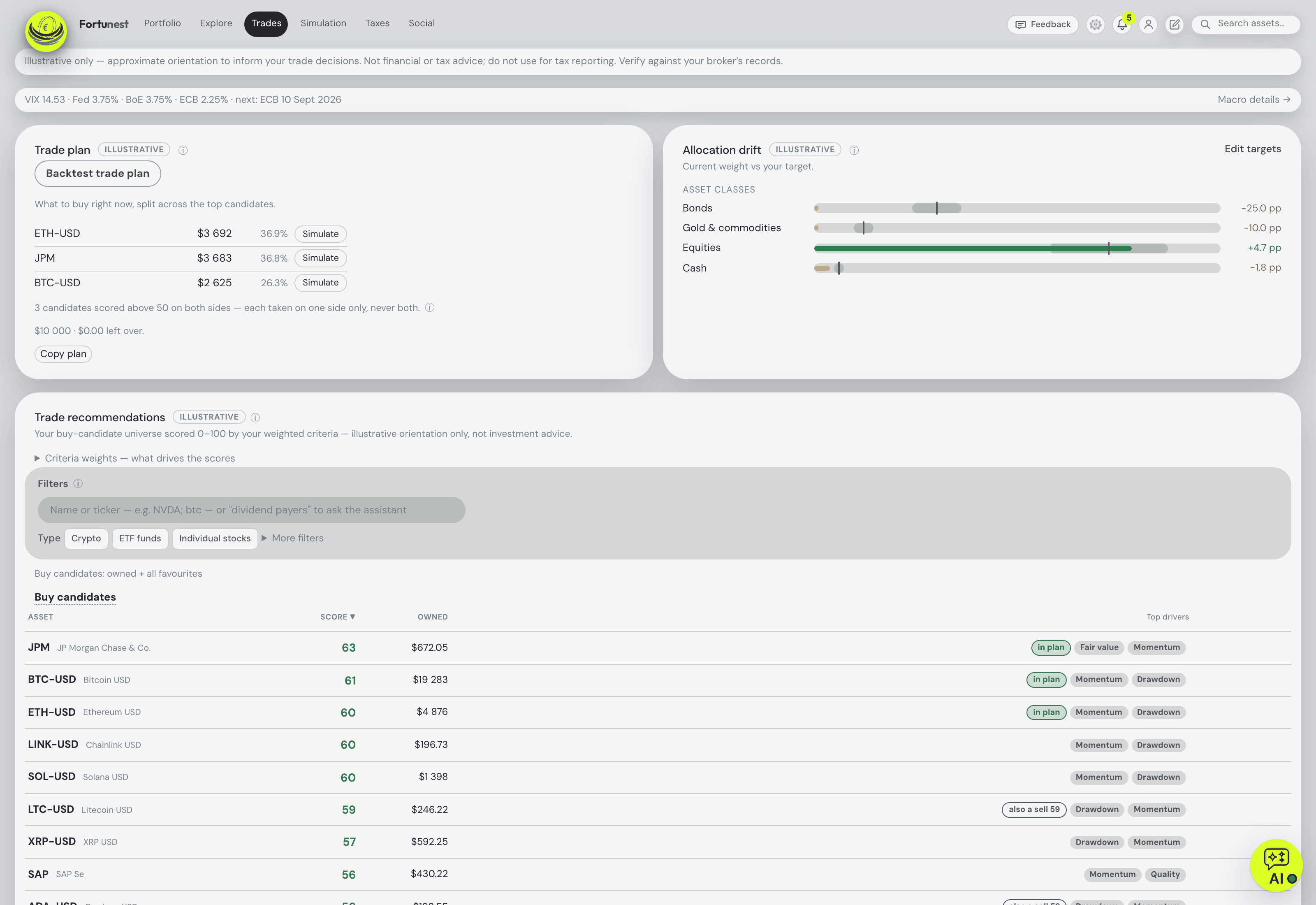
From there it is one portfolio: the Portfolio tab values every position live and split-correct, converts each day at that day's rate, and reports total P/L with realised gains, annualized TWR and money-weighted IRR against seven benchmarks fed your own deposits. The Trades tab scores your holdings and watchlist on fifteen criteria you weight yourself and turns an amount into a plan; the assistant answers about the actual holdings and can drive the dashboard. Add the exports of 28 other platforms and a Kraken or Binance key and it is all one history.
The trackers that read a Trading 212 account
Each cell is what the vendor's own pages say, on the date in the footnote. Not described means the page does not mention it. A green ✓ marks whichever product leads a row on that row's own terms.
| Fortunest1 | Sharesight2 | Parqet3 | AllInvestView4 | getquin5 | |
|---|---|---|---|---|---|
| How Trading 212 gets in |
|
|
|
|
|
| What it does with the file's quirks |
|
|
|
|
|
| Free plan |
|
|
|
|
|
| Paid from |
|
|
|
|
|
| Where your data lives |
|
|
|
|
|
| Tax |
|
|
|
|
|
| AI assistant |
|
|
|
|
|
Cells were checked against the sources below on 7 September 2026, except Sharesight's pricing and privacy pages and getquin's security page, checked 19 August 2026 as on our landing-page comparison. AllInvestView's Advanced and Pro prices were not readable on the pricing page we fetched. Prices are list prices before promotions and, for Fortunest, before VAT.
The verdicts
Fortunest — our pick
Best for: a Trading 212 account you want kept current, beside everything else you own.
Free without an account · Pro €6.99/mo or €69/yr
It is the only tracker here that takes your own Trading 212 key rather than an aggregator's, and the walkthrough tells you to restrict it to an IP and leave order permissions off. The file route reads the same account: every order type, dividends, both kinds of interest, splits, distributions and share transfers, with the Total and the per-share price kept in their own currencies and the withholding tax counted once. Everything then shares one currency, one set of benchmarks and one assistant.
Where it falls short: the CFD export is not read at all; there is no native mobile app yet, only the web app built for phones; the Taxes tab is Pro and its rulebook defaults to the Czech rules with no per-country presets; and running the key and the file together needs a cutover date rather than being automatic.
Parqet
Best for: German-speaking investors already keeping other depots in Parqet.
Basis €0 · Plus €11.99/mo · Investor €29.99/mo
Parqet documents the Trading 212 CSV route step by step, down to ticking all four export categories — orders, dividends, transactions and interest — before dragging the file into the portfolio, and it can re-fetch your last export. Over forty currencies, and the Plus plan adds an X-Ray, dividend forecasting and a German tax dashboard.
Where it falls short: file import only for Trading 212 — the autosync list is five German brokers; the free tier is one portfolio with five extra assets and two integrations; the tax dashboard is German; and hosting is not stated on the pricing page.
AllInvestView
Best for: a free tier that still includes an AI assistant and tax reports.
"Forever free" — 10 holdings · Starter US$6.99/mo
AllInvestView advertises auto-detected CSV import on every plan, brokerage linking to 40+ brokers from Starter upwards, multi-currency across 80+ exchanges, capital-gains and dividend tax reports for "12+ tax jurisdictions" with wash-sale detection, and an AI portfolio assistant on all tiers. Apps for web, iOS and Android.
Where it falls short: Trading 212 is not named on the pricing page, so whether it is one of the 40+ brokers is something to confirm; the Advanced and Pro prices were not readable when we fetched it; and where the data is stored is not stated.
getquin
Best for: a connected portfolio with a community attached, hosted in Germany.
Free €0 · Premium €89.99/yr · Wealth €149.99/yr
getquin describes three ways in — an open-banking login through getquin, manual entry "available for all brokers worldwide", and a CSV upload — with unlimited bank and broker connections advertised on the free plan, data stated to sit in Germany and Europe under AES-256, apps on both phone platforms and a feed where you follow other investors.
Where it falls short: no broker is named on its pages, so a Trading 212 investor cannot tell in advance which route applies; AI analysis starts at €89.99 a year; and risk metrics and tax reporting are not described.
How we compared
We read each vendor's own import, pricing and privacy pages rather than a review site, and where a page says nothing about a row, the cell says so. We build Fortunest, so we are not neutral: the table is meant to be checkable rather than impartial, and every product's limits are in its verdict, ours included.
Questions people ask
Does Trading 212 have an API for portfolio trackers?
Yes. Trading 212 lets you generate your own key under Settings and API (Beta) — give it read permissions for account, portfolio and history, leave orders off, and restrict it to trusted IPs. Fortunest connects with that key directly, live or practice account. Sharesight connects Trading 212 through SnapTrade instead, and getquin, Parqet and AllInvestView describe file or open-banking routes rather than a Trading 212 key.
Are transfers between my Trading 212 and other accounts double-counted?
Not in Fortunest. Shares transferred in or out are read as transfers, and when both sides of a move are in your portfolio the two records are matched so the pair nets out. The one case to watch is running the file and the API key together for the same account: they describe the same trades in different currencies, so the connection stays on files first and a cutover date — not row matching — decides where the file stops and the key takes over.
Can I track Trading 212 together with crypto exchanges?
Yes. The same portfolio takes read-only keys for Kraken, Binance, Coinbase and Coinmate beside the Trading 212 key, plus the CSV exports of 29 platforms. Everything lands in one holdings table in one display currency, converted at each day's real rate, with shared benchmarks and risk figures. On the free plan that is three accounts and fifty assets in total. The stocks-and-crypto guide compares the alternatives.
Is there a free Trading 212 portfolio tracker?
Fortunest's free plan needs no account and no card and covers the whole dashboard, the assistant, three accounts and fifty assets — the Trading 212 connection included. getquin has a free plan. AllInvestView's free tier is ten holdings and one portfolio, Sharesight's ten holdings, and Parqet's Basis plan one portfolio with five extra assets and two integrations. More in the free trackers guide.
Sources
- Fortunest — the Trading 212 walkthrough, every supported platform, the Trades chapter, the Taxes chapter and the Privacy chapter.
- Sharesight — Trading 212 partner page (7 September 2026); pricing and privacy policy (19 August 2026).
- Parqet — Trading 212 CSV-Import and Preise & Pläne (7 September 2026).
- AllInvestView — pricing (7 September 2026).
- getquin — pricing and portfolio tracker (7 September 2026); security (19 August 2026).
Signals, analyses and assistant answers in Fortunest are informational — not financial or tax advice.