Guides · Updated 7 September 2026
XTB portfolio tracker: the Cash Operations export, and what reads it
XTB offers no private API; the CSV export is the route, and only one of xStation's exports is a real ledger. Fortunest reads that Cash Operations file — including the part no column tells you, its currency — and it is our pick. Sharesight, Portfolio Performance, Ghostfolio and getquin read files of their own.
The short answer
- There is no XTB connection to make. XTB offers no private API and no brokerage aggregator covers it, so every tracker reads a file you export yourself.
- Take the Cash Operations report, not the positions views. Open and Closed positions are snapshots of a moment; Cash Operations is the transaction ledger a portfolio has to be rebuilt from.
- Our pick: Fortunest — it reads the quantity and price out of XTB's comment text, understands the operation names in more than one language, and asks you which currency the account is denominated in, because the file does not say. Free without an account; Pro is €69 a year.
- Reports for an accountant: Sharesight — XTB is on its partner list and the route is a bulk CSV upload of your historical trades.
- Free and local: Portfolio Performance and Ghostfolio — a generic CSV wizard you map yourself, or a self-hosted service you feed by CSV, JSON or REST. Neither names an XTB template.
How to export your XTB history
The wording below is the same as in the XTB section of the docs.
- Open Account history → Cash operations In xStation 5 open Account history → Cash operations and set the period to cover your whole history.
- Choose the Cash Operations report and export it as csv That is the one XTB export that is a ledger — the Open and Closed positions views are snapshots of a moment, not a transaction history.
- Name the account currency when you upload it Drag the file onto the Portfolio value tile in the app, or drop it in ⚙ Settings → Data. XTB files — and only XTB files — get a currency picker in the upload panel, starting from your dashboard's own currency.
Why the picker exists. The file has no currency column: every amount in it is in whatever currency your XTB account is denominated in, and nothing in the file says which. A tracker that guesses will value a PLN or CZK account as if it were euros and be wrong by a factor, quietly. What was used is shown beside the file afterwards, so a wrong pick is easy to spot and fix by re-uploading.
What a tracker has to get right in this file
XTB does not put the quantity and the price in their own columns — it writes them into the comment text of each operation. Fortunest reads them out of there, so partial fills, fractional shares and sales all land correctly, and it understands the operation names in more than one language, because an export carries them in your platform language. Dividends keep the per-share amount and the instrument's own currency alongside the cash you actually received, and the withholding tax on them is imported too.
The other half of the job is knowing what not to hold. FX and CFD results, swaps and index positions — the *.cash symbols — move cash on your account but are not something a portfolio can hold, so they are kept as cash movements only and the balance still reconciles. Anything a row cannot be read from (XTB has been known to write a malformed timestamp) is counted and reported on the Portfolio tab rather than quietly dropped, which is the difference between a total you can trust and one that is short by a trade you never notice.
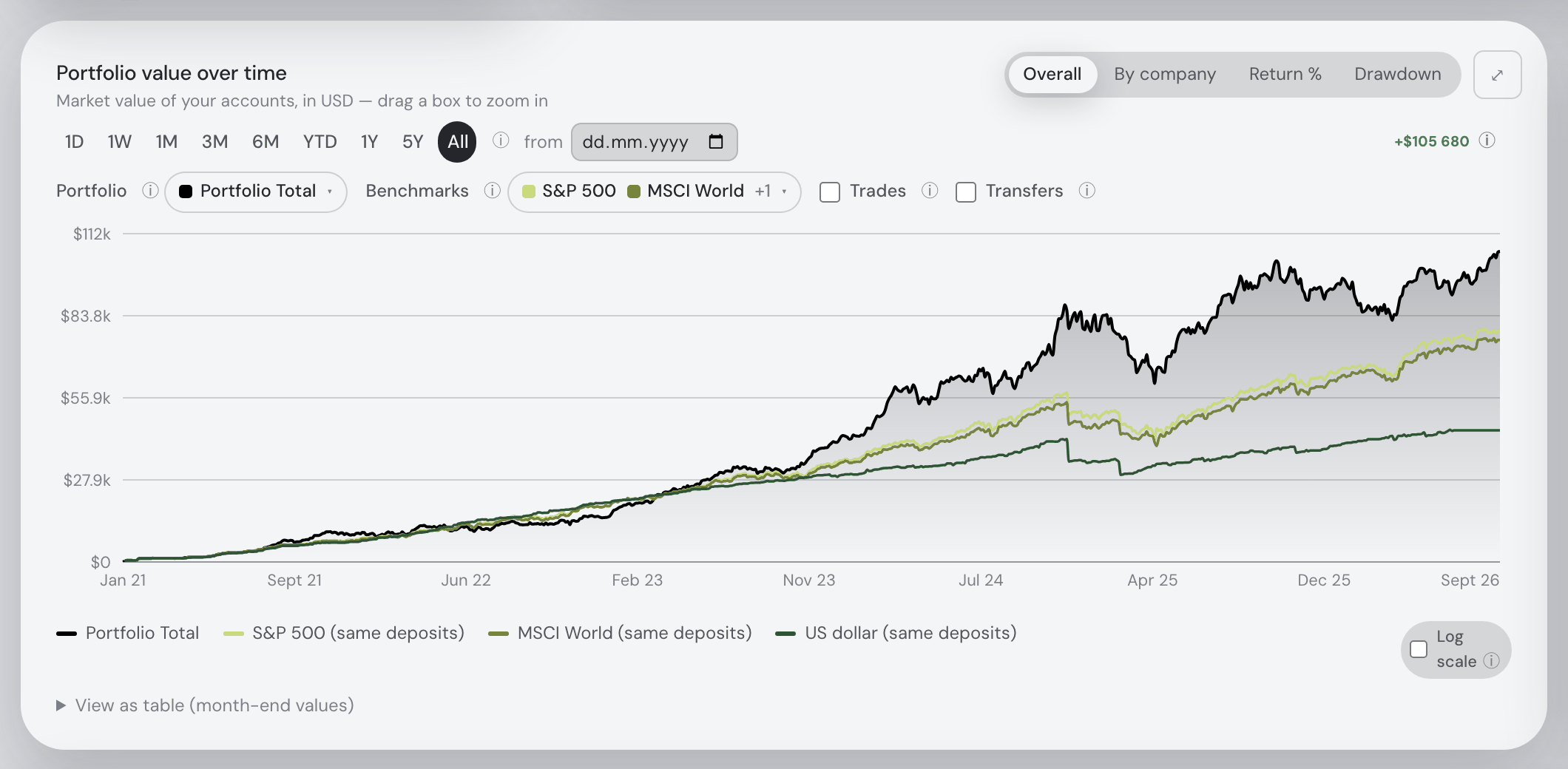
After that it is one portfolio. The Portfolio tab values every position live and split-correct, converts each day at that day's rate into whatever display currency you choose, and reports total P/L with realised gains, annualized TWR and money-weighted IRR against seven benchmarks fed your own deposits. Risk covers volatility, Sharpe, Sortino, beta, correlation and drawdowns. The assistant answers about the holdings it can see and can drive the dashboard; on the Taxes tab (Pro) each sale is paired against the lots it consumed, with a configurable holding-period test whose defaults are the Czech rules — orientation, not a filing.
The trackers that read an XTB export
Each cell is what the vendor's own pages say, on the date in the footnote. Not described means the page does not mention it. A green ✓ marks whichever product leads a row on that row's own terms.
| Fortunest1 | Sharesight2 | Portfolio Performance3 | Ghostfolio4 | getquin5 | |
|---|---|---|---|---|---|
| How XTB gets in |
|
|
|
|
|
| The file's account currency |
|
|
|
|
|
| Free plan |
|
|
|
|
|
| Paid from |
|
|
|
|
|
| Where your data lives |
|
|
|
|
|
| Returns, risk & benchmarks |
|
|
|
|
|
| AI assistant |
|
|
|
|
|
Cells were checked against the sources below on 7 September 2026, except Portfolio Performance's product site, Ghostfolio, Sharesight's pricing and privacy pages and getquin's security page, checked 19 August 2026 as on our landing-page comparison. Prices are list prices before promotions and, for Fortunest, before VAT.
The verdicts
Fortunest — our pick
Best for: an XTB account in a currency that is not the one you think in, beside everything else you own.
Free without an account · Pro €6.99/mo or €69/yr
The XTB export is a hostile file — no currency column, quantities buried in a comment sentence, operation names in your platform language, and rows that move cash without being holdings. Fortunest is the only tracker here whose documentation says what it does with each of those: a currency picker on upload, the fill parsed out of the comment, localized operation names understood, FX and CFD results and *.cash index positions kept as cash so the balance reconciles, and unreadable rows counted and reported instead of dropped.
Where it falls short: there is no XTB connection to offer, only the file, so you re-export it yourself; there is no native mobile app yet; the Taxes tab is Pro and its rulebook defaults to the Czech rules with no per-country presets; and the Windows desktop build is not yet code-signed.
Portfolio Performance
Best for: free, open source, and a file that never leaves your disk.
Free — EPL 1.0
A desktop program for Windows, macOS and Linux with no account and no service behind it: your portfolio lives in a file you back up yourself. The CSV wizard lets you set the delimiter and the decimal separator and map each column by hand, and it ships built-in configurations for some banks. Benchmarks against an index, volatility, semivariance and maximum drawdown are all included.
Where it falls short: no XTB template is named in its manual, and a file whose quantities live in a comment field is exactly the case a column-mapping wizard cannot solve on its own; there is no phone app, no projection, no tax report beyond tax and fees per transaction, and no assistant.
Ghostfolio
Best for: self-hosting the whole thing on your own server.
Self-hosted free — AGPL-3.0 · Cloud Premium from US$48/yr, one-time
Open source and built for Docker: run it on your own hardware and nothing leaves it, sign in with an anonymous token rather than an email, and feed it CSV, JSON or the REST API — which is the practical route for XTB, since you will be reshaping the ledger anyway. Benchmarks, an X-ray for cluster risk and fees, and a FIRE calculator are included, and there is an Android app.
Where it falls short: no broker connections at all, so every trade arrives by file or API and the XTB parsing is yours to write; no in-app assistant beyond an experimental prompt you copy out; and the cloud free tier is a summary rather than the whole product.
getquin
Best for: a mostly-connected portfolio with a community attached, hosted in Germany.
Free €0 · Premium €89.99/yr · Wealth €149.99/yr
Three ways in are described: an open-banking login through getquin, manual entry "available for all brokers worldwide", and a CSV upload. The free plan advertises unlimited bank and broker connections, the data is stated to sit in Germany and Europe under AES-256, and there are apps on both phone platforms plus a feed where you follow other investors and argue about single stocks.
Where it falls short: XTB is not named on its pages, so which of the three routes applies is something you learn after signing up; AI analysis starts at €89.99 a year; and risk metrics and tax reporting are not described.
How we compared
We read each vendor's own import, pricing and privacy pages rather than a review site, and where a page says nothing about a row, the cell says so. We build Fortunest, so we are not neutral: the table is meant to be checkable rather than impartial, and every product's limits are in its verdict, ours included.
Questions people ask
Does XTB have an API for portfolio trackers?
No. XTB offers no private API, and no brokerage aggregator covers it, so the xStation Cash Operations export is the route into any tracker. Fortunest, Sharesight, Portfolio Performance, Ghostfolio and getquin all read a file rather than a connection. If a tracker advertises live XTB syncing, ask which export it is actually reading and how often you have to re-upload it.
Are transfers between my XTB and other accounts double-counted?
Not in Fortunest. Deposits, withdrawals and transfers in the Cash Operations file are read as cash movements, and when the other side of a move is also in your portfolio the two records are matched so the pair nets out instead of showing as a deposit and a withdrawal. Because the XTB ledger is cash-first, the account reconciles by balance, which is what makes a missed transfer visible rather than silent.
Can I track XTB together with crypto exchanges?
Yes. The XTB file sits in the same portfolio as read-only keys for Kraken, Binance, Coinbase and Coinmate and the exports of 28 other platforms, in one display currency converted at each day's real rate. Shares, ETFs and coins share one holdings table, one set of benchmarks and one risk card. On the free plan that is three accounts and fifty assets in total. See the stocks-and-crypto guide.
Is there a free XTB portfolio tracker?
Portfolio Performance is free and open source and Ghostfolio is free when you host it yourself, but both leave the mapping and the maintenance to you. Fortunest's free plan needs no account and no card and covers the whole dashboard, the assistant, three accounts and fifty assets. getquin has a free plan. Sharesight's free tier stops at ten holdings and one portfolio. More in the free trackers guide.
Sources
- Fortunest — the XTB export walkthrough, every supported platform, the Portfolio chapter, the Taxes chapter and the Privacy chapter.
- Sharesight — XTB partner page and partners list (7 September 2026); pricing and privacy policy (19 August 2026).
- Portfolio Performance — File → Import and Importing a CSV file (7 September 2026); product site (19 August 2026).
- Ghostfolio — features, pricing and the source repository (19 August 2026).
- getquin — pricing and portfolio tracker (7 September 2026); security (19 August 2026).
Signals, analyses and assistant answers in Fortunest are informational — not financial or tax advice.